
Six client onboarding platforms get ranked below for coaches and consultants running their business in 2026, compared on contracts, portals, payments, and automation instead of feature-list marketing.
- Dubsado is the best client onboarding software for coaches who need contracts, invoicing, and forms in one CRM.
- HoneyBook wins for consultants who want the whole client journey - proposal to payment - in a single system.
- Practice fits coaches whose onboarding is really about scheduling and session structure.
- Copilot and ClickUp cover branded portals and multi-client team workflows; Notion is the budget DIY route.
- The platform matters less than the sequence built around it - software alone does not fix a broken intake process.
Why this matters
Most coaches and consultants do not lose clients because the coaching was bad. They lose momentum in the gap between "they said yes" and "they showed up ready." Contracts sit unsigned in email threads. Intake forms get filled out twice because the first version got lost. Payment happens before anyone confirms the client actually understood what they bought.
The right software closes that gap. The wrong software just moves the chaos into a new interface. Tended Sprout Co. works with established online entrepreneurs to fix this at the process level, not just the tool level - which is exactly why this list ranks on how well each platform supports a real workflow, not on which one has the flashiest dashboard.
What makes the best client onboarding software for coaches
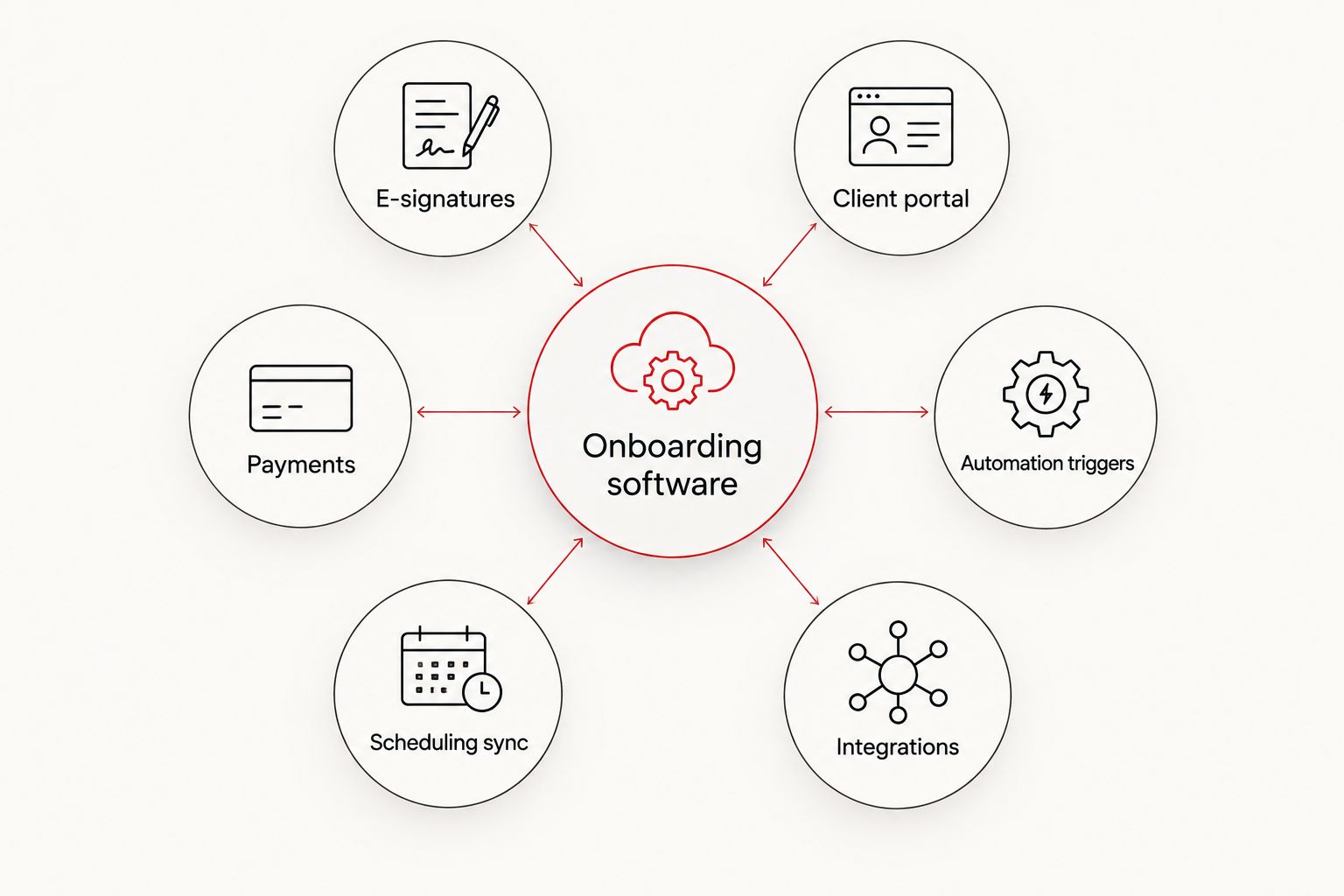
Before looking at the comparison table, know what you're auditing it against:
- Contracts and e-signatures built in - no separate app for the legal step
- A client portal that centralizes documents, messages, and progress in one place
- Payment and invoicing tied to intake - so paying and onboarding happen in the same motion
- Automation triggers - a signed contract or a paid invoice should fire the welcome sequence automatically
- Scheduling that syncs without a back-and-forth email chain
- Integration with what you already run - your email platform, your calendar, your project system
Client onboarding software for coaches: at a glance
| Platform | Best for | Standout feature | Key limitation |
|---|---|---|---|
| Dubsado | Coaches who want contracts, invoices, and forms in one CRM | Workflow automations tied to form submissions | Setup takes real time before it pays off |
| HoneyBook | Consultants managing the full client journey | Proposal, contract, and payment in one flow | Built for creative/service pros, not niche coaching programs |
| Practice | Coaches whose onboarding centers on sessions | Scheduling and session notes built together | Thin on contracts and invoicing compared to a CRM |
| Copilot | Consultants who want a branded client portal | Portal look and feel is fully brandable | Not a scheduling or invoicing tool on its own |
| Notion | Coaches building a DIY onboarding hub | Total flexibility, no rigid template | No native e-signatures or payment processing |
| ClickUp | Teams onboarding multiple clients as projects | Client onboarding lives next to internal project work | Built for project management first, client experience second |
1. Dubsado: best client onboarding software for coaches who need contracts and invoicing together
Dubsado is a CRM built specifically for service-based businesses, which means contracts, invoices, and intake forms live in the same system instead of three different apps. A coach can send a proposal, get it signed, and collect the first payment without leaving the platform.
Dubsado pros:
- Contracts, forms, and invoices in one workflow
- Automation rules trigger off client actions, not just calendar dates
- Client portal keeps documents and communication in one thread
Dubsado cons:
- The automation builder has a learning curve before it saves time
- Scheduling is functional but not as polished as dedicated tools
Best for: coaches who want contracts and payment collection handled without a second app. Verdict: Buy.
2. HoneyBook: best client onboarding software for consultants managing the full client journey
HoneyBook is built around the idea that a client relationship is one continuous flow - inquiry, proposal, contract, invoice, and check-in - rather than separate stages handled by separate tools. Consultants who bill project-based work tend to fit this model well.
HoneyBook pros:
- Proposal-to-payment flow feels cohesive for the client
- Templates cut the time spent building a new onboarding sequence from scratch
- Client-facing pages look polished with minimal setup
HoneyBook cons:
- Leans toward creative and event-based service businesses, not coaching-specific structures
- Less flexible than a CRM built purely around client data
Best for: consultants who sell project-based engagements and want one continuous client-facing flow. Verdict: Buy.
3. Practice: best client onboarding software for coaches whose onboarding is really about scheduling
Practice is built around the session, not the paperwork. For coaches whose onboarding is mostly "get the client booked, get the intake questions answered, get the first call scheduled," this is a tighter fit than a full CRM.
Practice pros:
- Scheduling and client notes live together, so session history is never lost
- Intake forms attach directly to the booking flow
- Simpler interface than a full CRM, less to configure
Practice cons:
- Contract and invoicing features are thinner than Dubsado or HoneyBook
- Not built for consultants running multi-deliverable projects
Best for: coaches running a recurring session-based model. Verdict: Buy.
4. Copilot: best client onboarding software for a branded client portal
Copilot's entire pitch is the portal itself - a branded, client-facing hub for messages, files, and billing that looks like it belongs to your business, not a third-party tool. Consultants who care about how the onboarding experience looks to a client lean toward this one.
Copilot pros:
- Portal branding options go further than most CRMs offer
- File sharing and messaging live in one client-facing space
- Works well layered on top of tools you already use for scheduling or invoicing
Copilot cons:
- Not a scheduling tool or a contract tool on its own
- Requires pairing with other software to cover the full onboarding flow
Best for: consultants who already have scheduling and invoicing sorted and just need the client-facing layer. Verdict: Hold.
5. Notion: best budget client onboarding software for DIY builders
Notion is not built for onboarding specifically - it's a flexible workspace that coaches turn into an onboarding hub with databases, checklists, and shared pages. It costs the least in terms of new software, but it costs the most in setup time.
Notion pros:
- Total control over structure and layout
- Works as a shared hub for forms, welcome guides, and progress tracking
- No rigid template forcing your process into someone else's shape
Notion cons:
- No native e-signatures or payment processing
- Requires connecting outside tools (Zapier, Make) to actually automate anything
- Easy to build something that looks organized but doesn't actually trigger next steps
Best for: coaches early enough that a dedicated CRM isn't justified yet. Verdict: Wait.
6. ClickUp: best client onboarding software for teams managing multiple client projects
ClickUp treats client onboarding as one project type among many, which works well for a consulting team already running internal work through it. It's not built around the client experience - it's built around task tracking, and onboarding gets folded into that.
ClickUp pros:
- Client onboarding lives next to internal project management, one system to check
- Custom fields and templates can standardize the onboarding checklist across clients
- Good for teams, not just solo coaches
ClickUp cons:
- No native contracts, e-signatures, or client billing
- Client-facing views take real configuration to look client-ready instead of internal
Best for: consulting teams that already run projects through ClickUp internally. Verdict: Hold.
How we ranked
Each platform got measured against the six criteria above - contracts, portal, payments, automation, scheduling, integrations - rather than ranked by popularity or marketing spend. A tool that nails three of the six but does them well outranked a tool that claims all six and does none of them cleanly.
Which client onboarding software should you choose in 2026?
If you're still deciding: Dubsado is the default pick for most coaches because it covers contracts, invoicing, and automation without forcing you to stitch three apps together. Consultants running project-based engagements should look at HoneyBook first. If your business is purely session-based, Practice beats both. Everyone else is choosing a specific gap to fill, not a general-purpose winner.
Get the system built around the software
Tended Sprout Co. sets up and automates your onboarding platform so it matches your actual process.
FAQ
What's the best client onboarding software for coaches in 2026?
Dubsado is the strongest overall pick for 2026 because it combines contracts, invoicing, and automation in one system. Coaches with a purely session-based model may prefer Practice instead.
Is HoneyBook better than Dubsado for consultants?
HoneyBook fits consultants selling project-based engagements with a polished proposal-to-payment flow, while Dubsado offers more automation depth for recurring coaching structures. Neither is universally better - it depends on how your engagements are structured.
How much does client onboarding software cost?
Pricing varies by platform and plan, and changes over time, so check current pricing directly on each provider's site before comparing. Cost alone shouldn't decide the choice - fit with your workflow matters more.
Can Notion replace a CRM for client onboarding?
Notion can function as an onboarding hub for forms, checklists, and shared pages, but it has no native e-signatures or payment processing. It works as a starting point, not a long-term replacement once contract volume grows.
Do I need a client portal if I already use email?
A client portal centralizes documents, messages, and progress in one place instead of scattering them across email threads. This matters most once you're onboarding more than a handful of clients at once.
How long does it take to switch onboarding software for coaches?
Switching usually takes longer than expected because existing client data, templates, and automations need to move over, not just the new sign-up. Building the new workflow correctly the first time avoids a second migration later.
Is ClickUp good for client onboarding?
ClickUp works well when a consulting team already manages internal projects there and wants onboarding folded into the same system. It lacks native contracts and billing, so it needs pairing with other tools for a complete flow.
What's the difference between a CRM and a client portal for coaches?
A CRM like Dubsado manages the full client relationship - contracts, invoices, automation - while a portal like Copilot is primarily the client-facing view into files and messages. Some coaches need both; others just need the CRM's built-in portal.
One last thing
The platform matters less than the sequence behind it. A plain shared document run through a disciplined, repeatable process beats a fully-loaded CRM that nobody actually maintains past the third client. Pick the software from this list that matches how you already work - then build the process around it before you build anything else.